
Roasted Asparagus |
|
Why not try olive oil for frizzy hair instead of paying big bucks for drug store or salon treatments and conditioners?
|
|
|
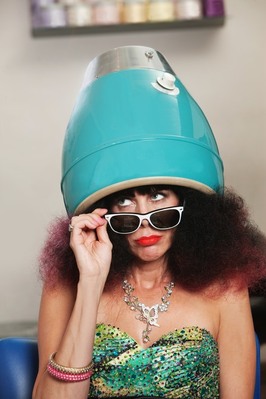
I found a product that apparently works wonders on frizzy hair. It comes in a 7oz (200g) tube and costs $26.50 USD. It sounds wonderful, boasts olive oil as an ingredient and must be good stuff for that price. Right? Not likely! I get so angry by manufacturers who divert your attention with a claim like “with pure olive oil” or “with botanitcal extracts”. Give me a break!
Most of these products have all the same regular garbage in them as usual, but since they added a tiny pinch of something that was, at one point, a good thing, they play it up and we (the consumer) fall for it. Have a look at the ingredients in this glossing/de-frizzing product. I don’t know about you, but I’m not even going to attempt to pronounce some of them. Water (Aqua), Dimethicone, Cyclopentasiloxane, Dimethiconol, Propylene Glycol, Polyacrylamide, Olea Europaea (Olive Oil) Fruit Oil, Phenyl Trimethicone, C13-14 Isoparaffin, PEG 8 Methicone, Ricinus Communis (Castor) Seed Oil, Bismuth Oxychloride (CI 77163), Laureth-7, Sodium PCA, Panthenol, Cinnamidopropyltrimethyl Ammonium Chloride, Dimethicone PEG-8, Meadowfoamate, Fragrance/Parfum, Methylisochloroisothiazolinone, Yellow 5 (CI 19140) The point is, most of the ingredients you see here are synthetic. They make their way into your blood stream and your body doesn't know what to do with them. They build up and may be responsible (at least partly) for cancer and all sorts of health issues. My question is …why? Why spend the money and expose yourself to this array of chemicals when you could just use olive oil for frizzy hair? 
Check out these recipes and methods using all natural, nourishing, and inexpensive olive oil.
I don't use it for frizzy hair, my hair is straight and fine, but I do use it to deep condition my hair and control static. Here are a few different methods using olive oil for frizzy hair and all sorts of things. Control Static and Frizz - Just a few drops of olive oil rubbed into the palms of your hands and then run through your hair. It's that simple and you can apply it when your hair is damp or dry, experiment to find what works best for you. Condition - I've heard of people using mayonnaise in hair treatments and if you mix egg and olive oil together...you get mayonnaise. The egg provides protein while the olive oil adds a good dose of vitamin E. So that's another way to use olive oil for frizzy hair. Use a whisk or stick blender to mix 1 egg with 1/2 to 1 cup of olive oil. (depending on how much hair you have) Apply the mayo to your hair, work it in and then cover with an old towel or shower cap and let it sit for 10-30 minutes. Check your e-mail, lay down with some cucumbers or tea bags over your eyes, or pour a cup of tea and read a book. Some of us need a reason like this to force ourselves to relax for a few minutes. If you're one of us, here's your chance - take it. When you're ready, just wash your hair as usual. Hot Oil Treatment - I give my hair a hot oil treatment once a week or so. Actually, that's wishful thinking - honestly, it's more like once a month :) I would like to give my hair a hot oil treatment once a week, but I don't spend my money on packaged treatments. A couple tablespoons of just plain olive oil (extra virgin is all I buy) works fine for me. All I do is warm two-three tablespoons of olive oil in the microwave for about 15 seconds and then pour it into the palm of my hand and massage it into my hair until it is fairly well saturated. I pay special attention to the ends and rub it into my scalp too. Then, slip on a shower cap to help hold in some heat and let it sit for 30 minutes. I have to wash my hair twice to get the oil out. Even if you don't need to use olive oil for frizzy hair, it makes a good inexpensive deep conditioner. return from Olive Oil for Frizzy Hair to Amazing Olive Oil home |
|